Connect QuickBooks, Salesforce or HubSpot
HubSpot contact import is available now: bring your HubSpot contacts and leads into the Partner CRM — connect HubSpot read-only or upload a HubSpot export. Night Bright only reads from HubSpot and never changes it.
QuickBooks gift sync is finishing its final setup and opens to organizations soon; Salesforce gift sync is coming next. Both are built and are being tested before they are switched on, so you will not be charged for a connection that is not live yet.
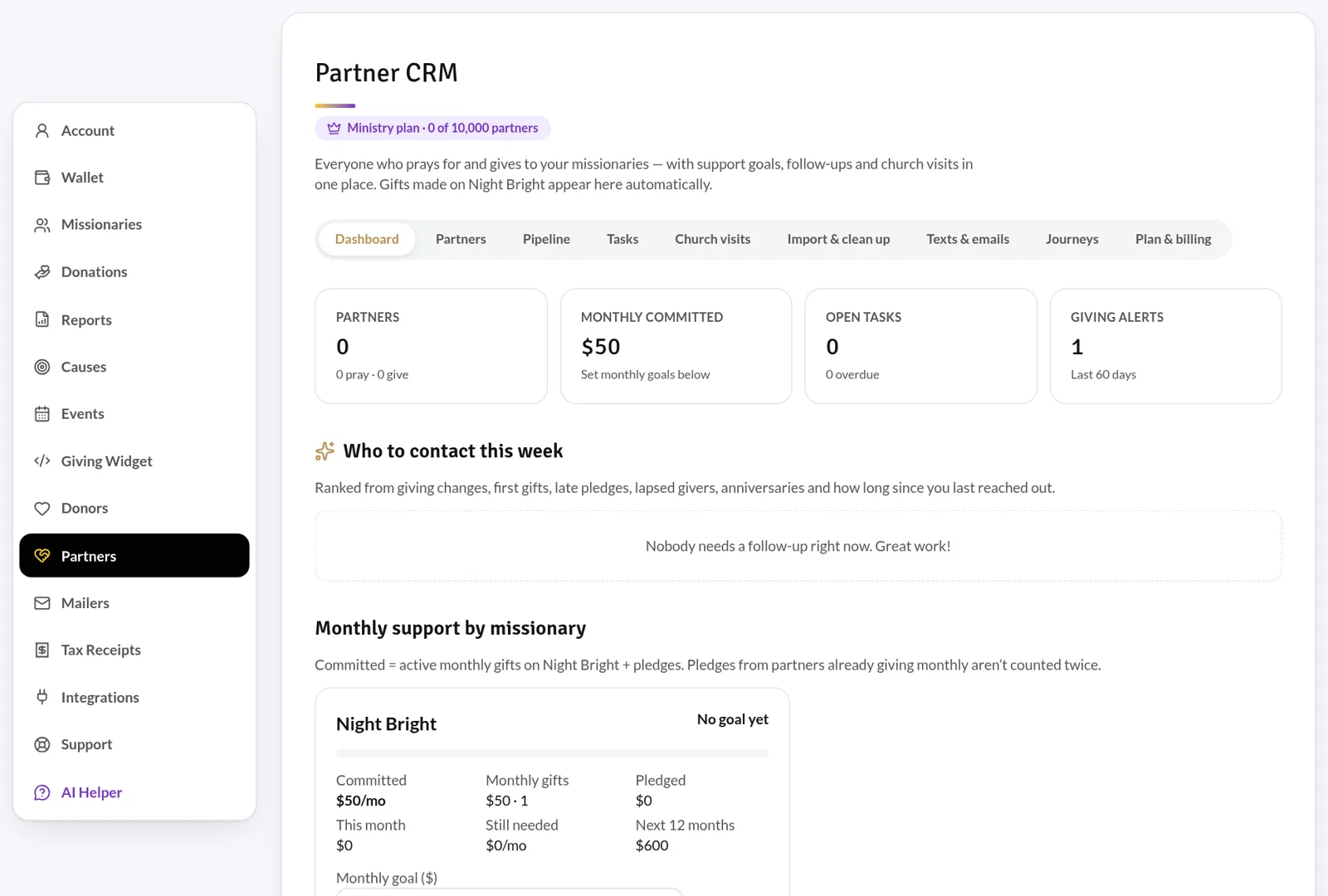
Default or custom setup
Choose the default setup, which organizes gifts by short-term or long-term missionary, then missionary, then cause. Or pick the custom setup and map each piece of information to the exact fields, classes or properties your team uses.
- Only the gift amount syncs — never tips or processing fees.
- Anonymous donors are grouped into a single anonymous record.
- Your mapping is checked against your live account before it is saved.
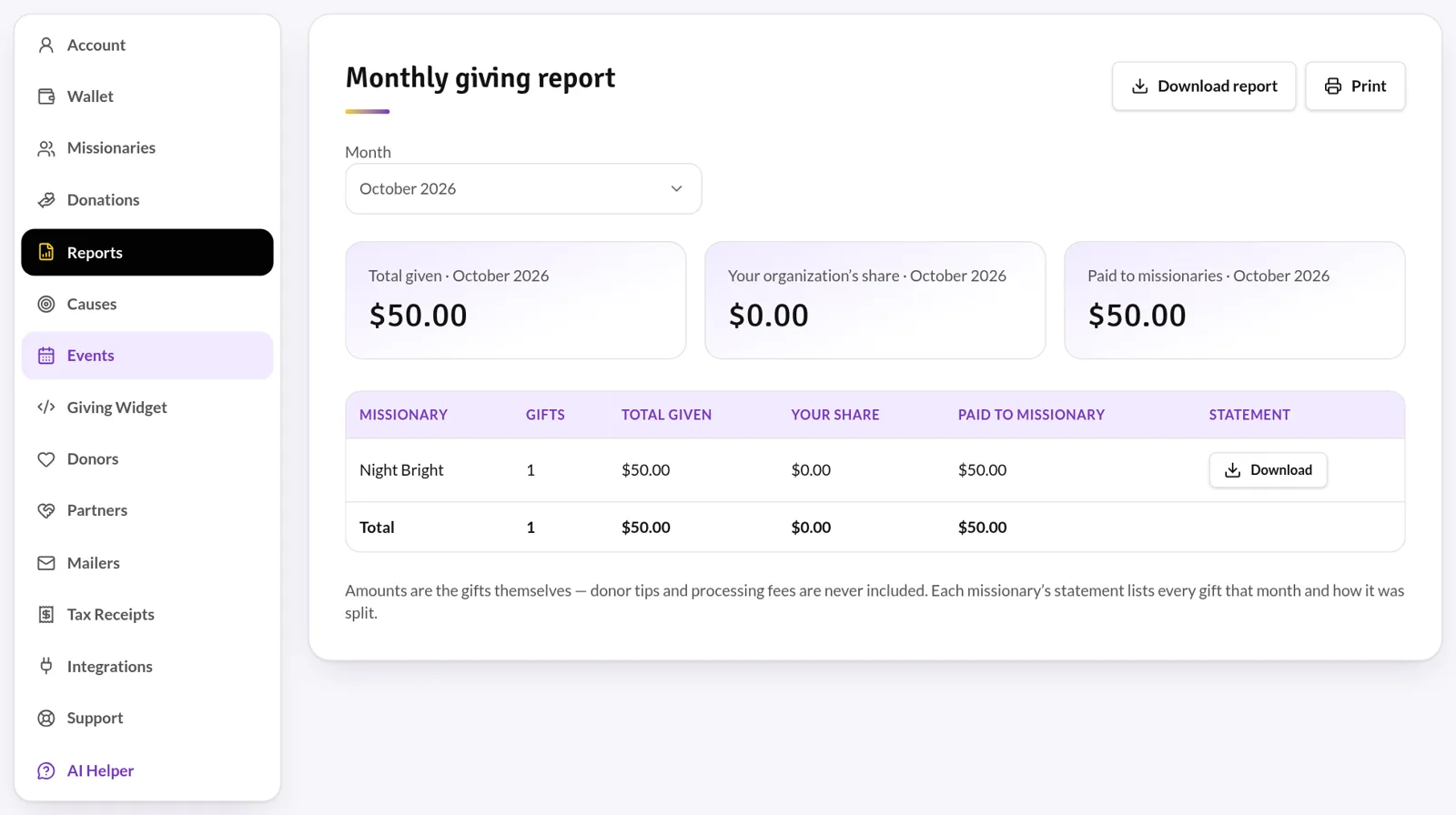
Reports and receipts in one place
Download monthly giving reports and per-missionary statements, record cash and check gifts, and send year-end tax receipts — all from the organization portal.
Common questions
Do we need a developer to connect?
No. Connect your account from the Integrations tab and choose default or custom setup with a guided walkthrough.
Will donor emails go into our CRM?
In the default setup, no donor email is sent. With custom setup you can choose to include donor contact details.
Still have questions?
Ask the Night Bright Helper about features, giving and pricing — or send your question to our team.
Ready to get started?
Night Bright is free for missionaries and organizations. Donors cover processing so 100% of every gift goes where it’s meant to.