Website builder · for missionaries & mission organizations
A beautiful ministry website — built by chatting
Tell our builder about your ministry and it writes your pages, uses your photos and picks up your old website’s wording. Then click anything to make it yours. Night Bright giving is built in.
- Free to build
- Giving built in
- Click-to-edit
- From $27/month
Same team, same care
Built by the team behind nightbright.org
The people who built Night Bright’s giving pages, portals and checkout made this builder — so your website and your giving work together from day one.
How it works
From a conversation to a website
- 1
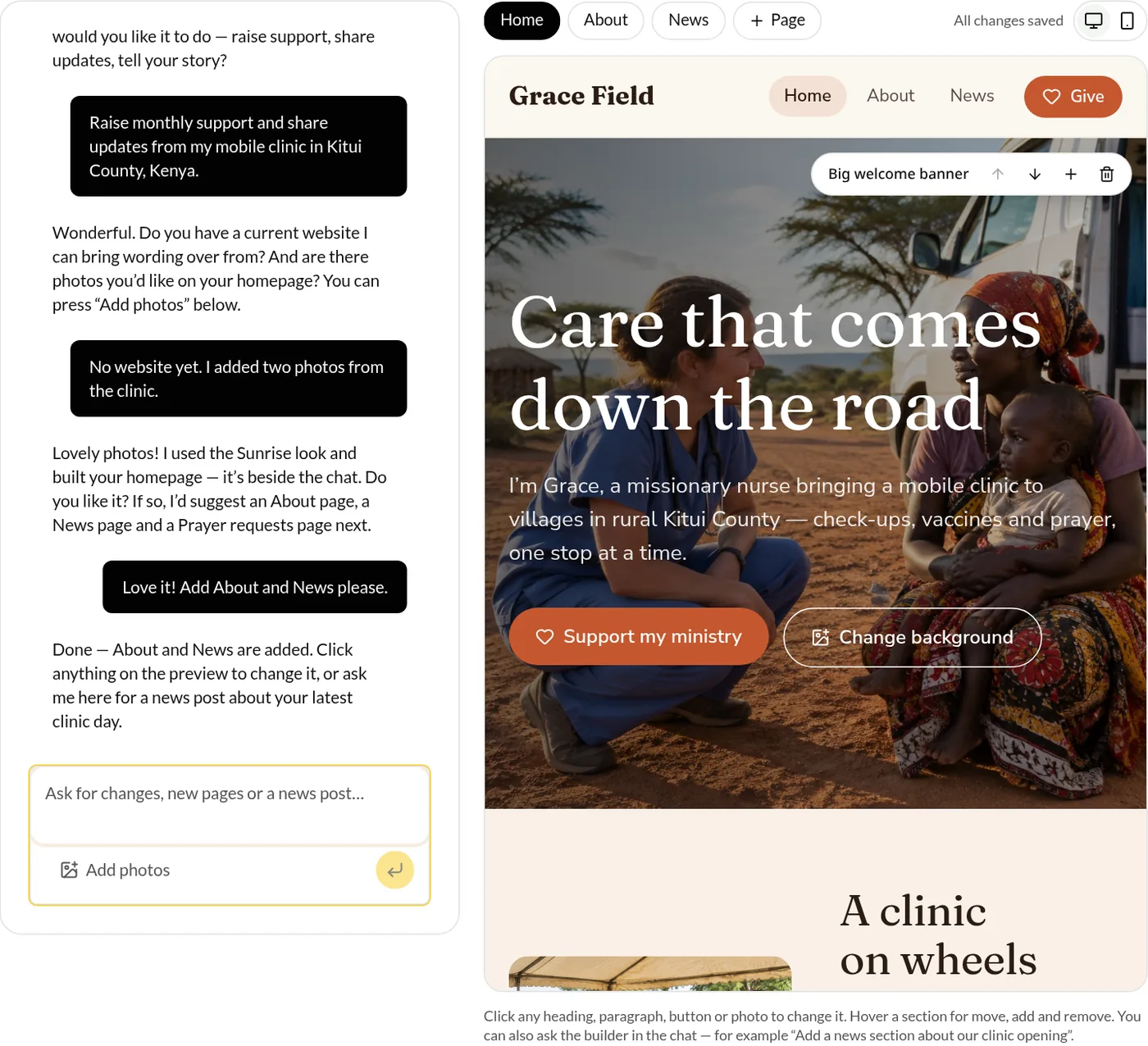
Tell us what you want
The builder asks what your website should do — raise support, share updates, recruit, tell your story.
- 2
Share your ministry
Answer a few questions about where you serve and who you serve. Have a website already? Paste the link and it brings your wording over.
- 3
Add photos and pick a look
Upload the photos you love, then choose from ready-made looks shown right in the chat.
- 4
Get your homepage
Your homepage appears beside the chat in seconds. Like it? The builder suggests other pages and writes them for you.
- 5
Edit, then publish
Click anything to change it, ask AI for help, check it on a phone, and publish when you’re ready.
The editor
Click it. Change it. Done.
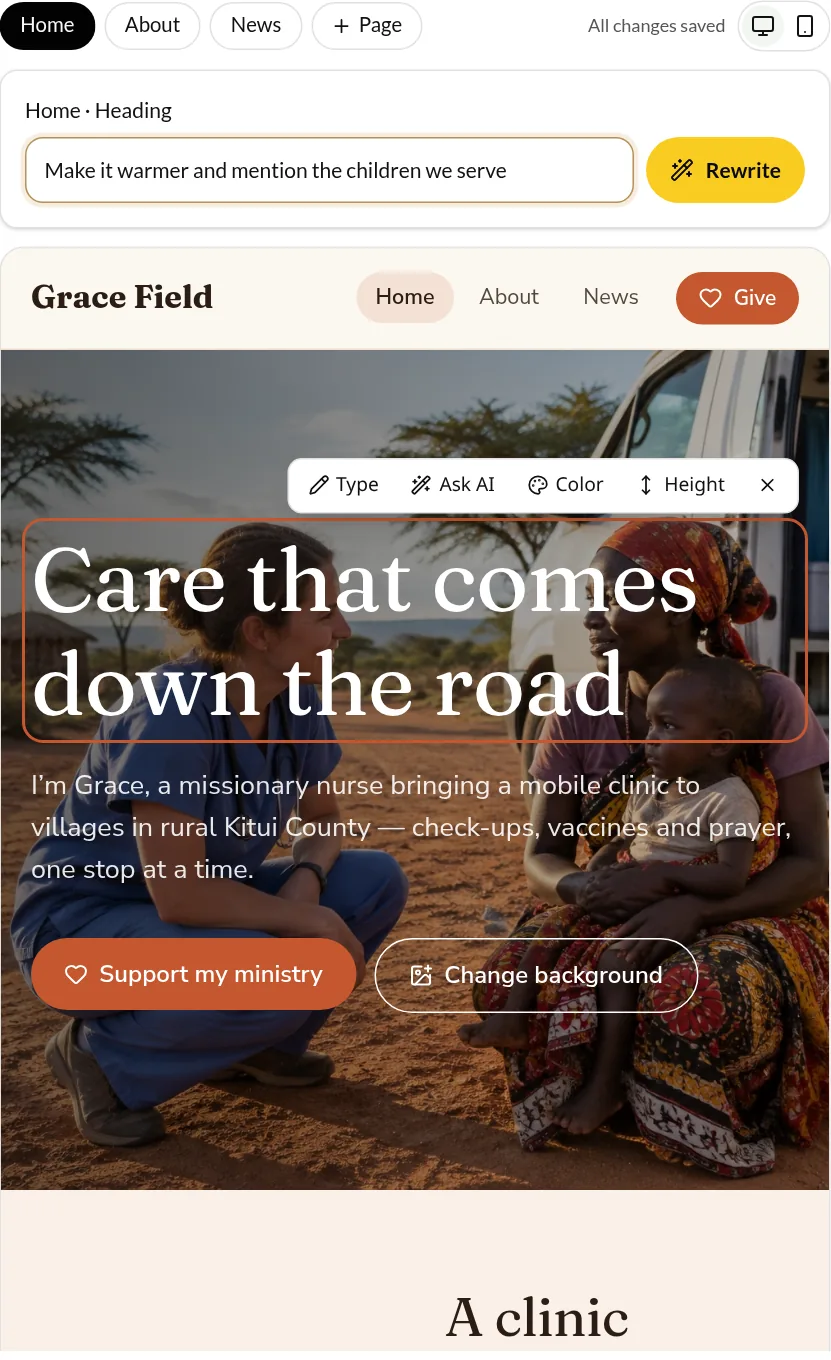
Once your website is built, there are no menus to learn. Everything you see on the page can be changed right where it is, and every change saves on its own.
- Click any heading, paragraph, button or photo to change it
- Ask AI to rewrite just that piece — shorter, warmer, clearer
- Change text colors and section heights
- Swap photos from your own uploads
- Move, add and remove sections and pages
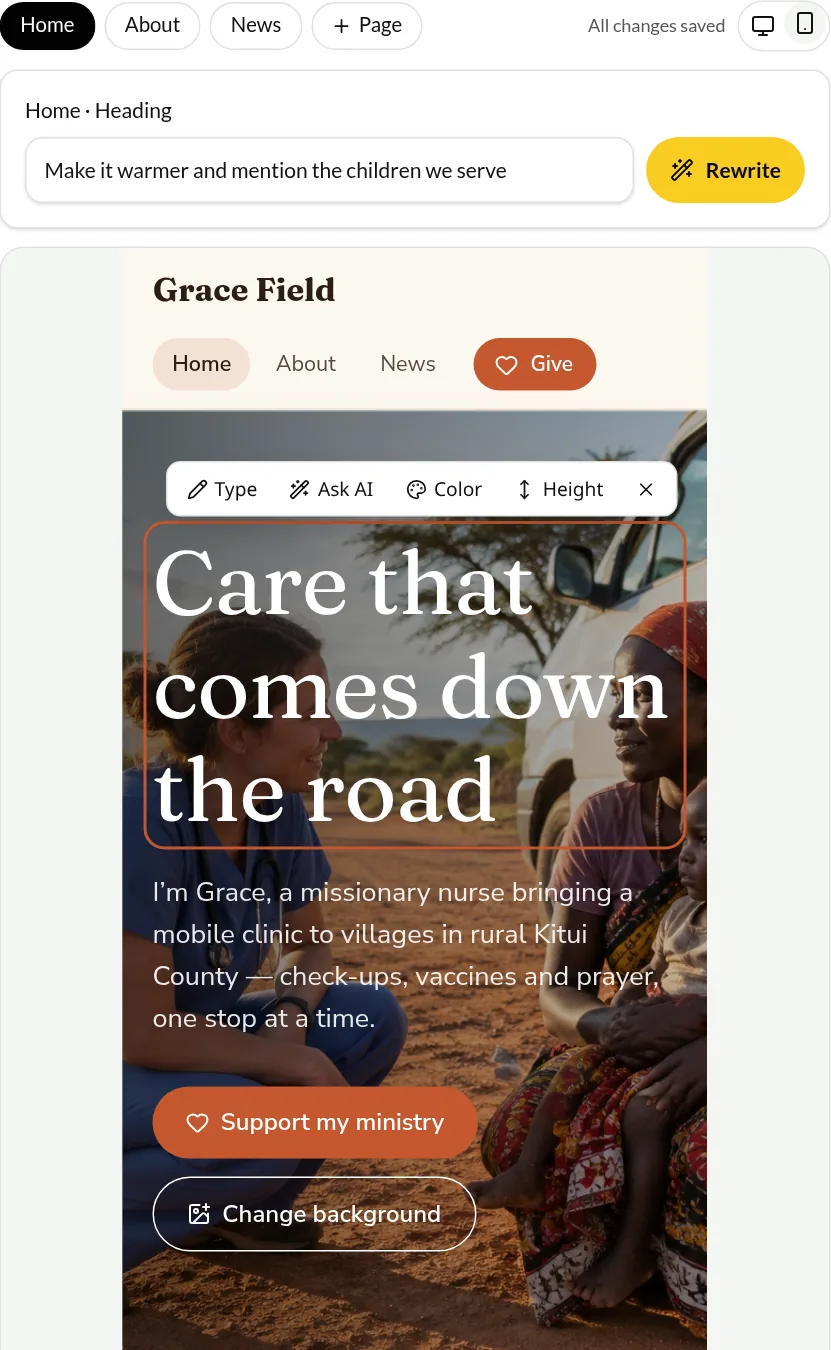
- Switch between computer and phone view
Prefer to ask? Keep chatting with the builder — “add a news post about our clinic opening” works too.
See how good it can look
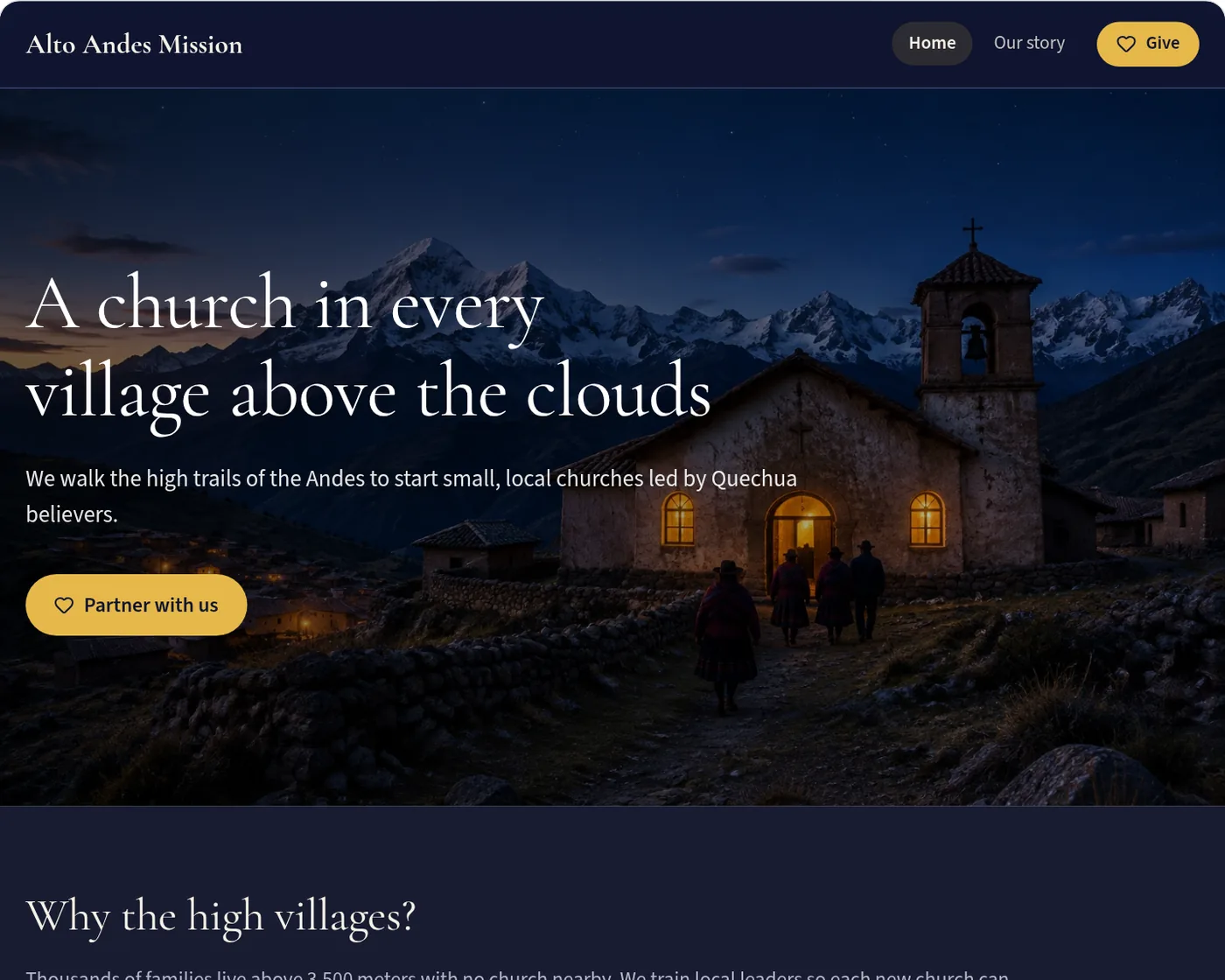
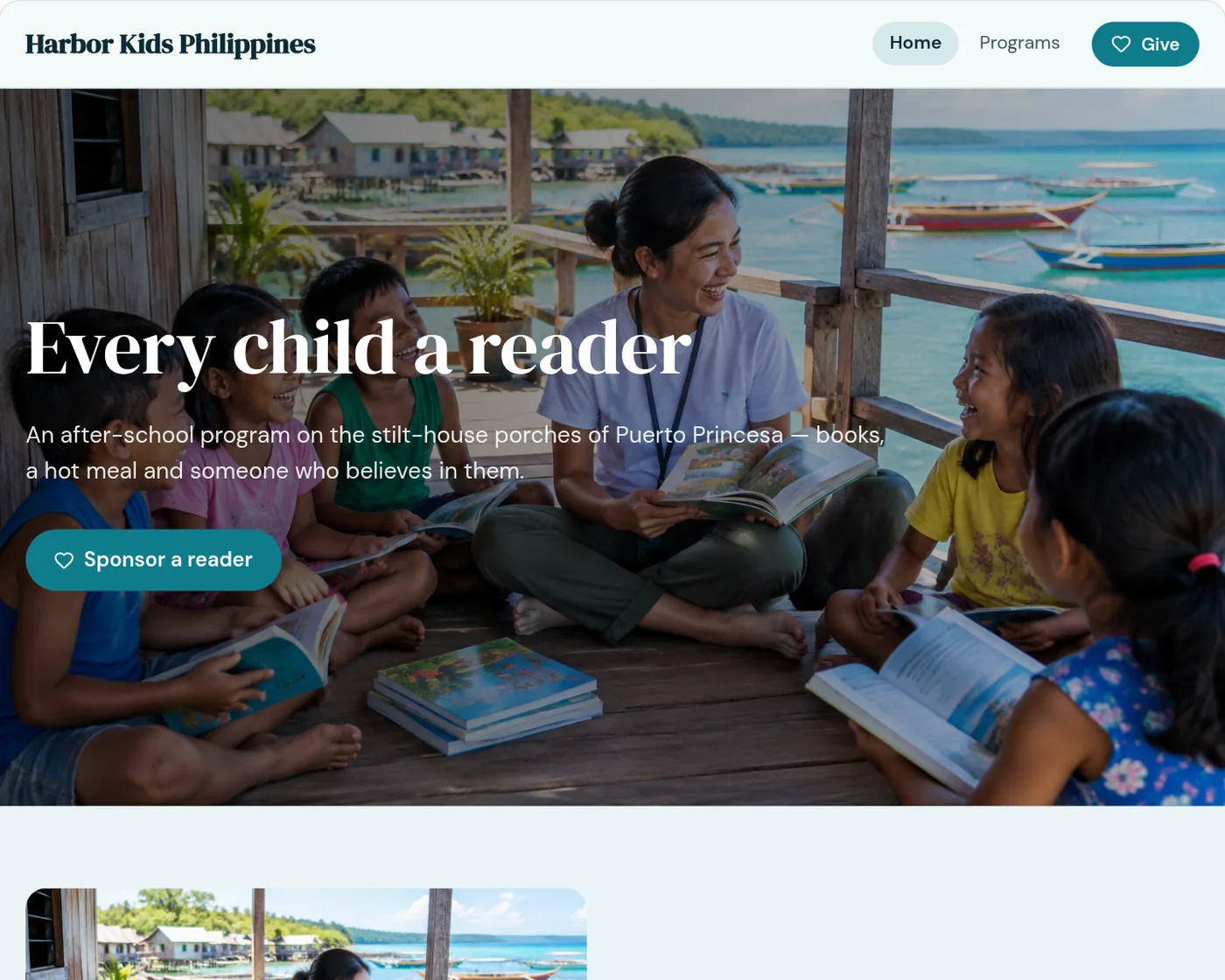
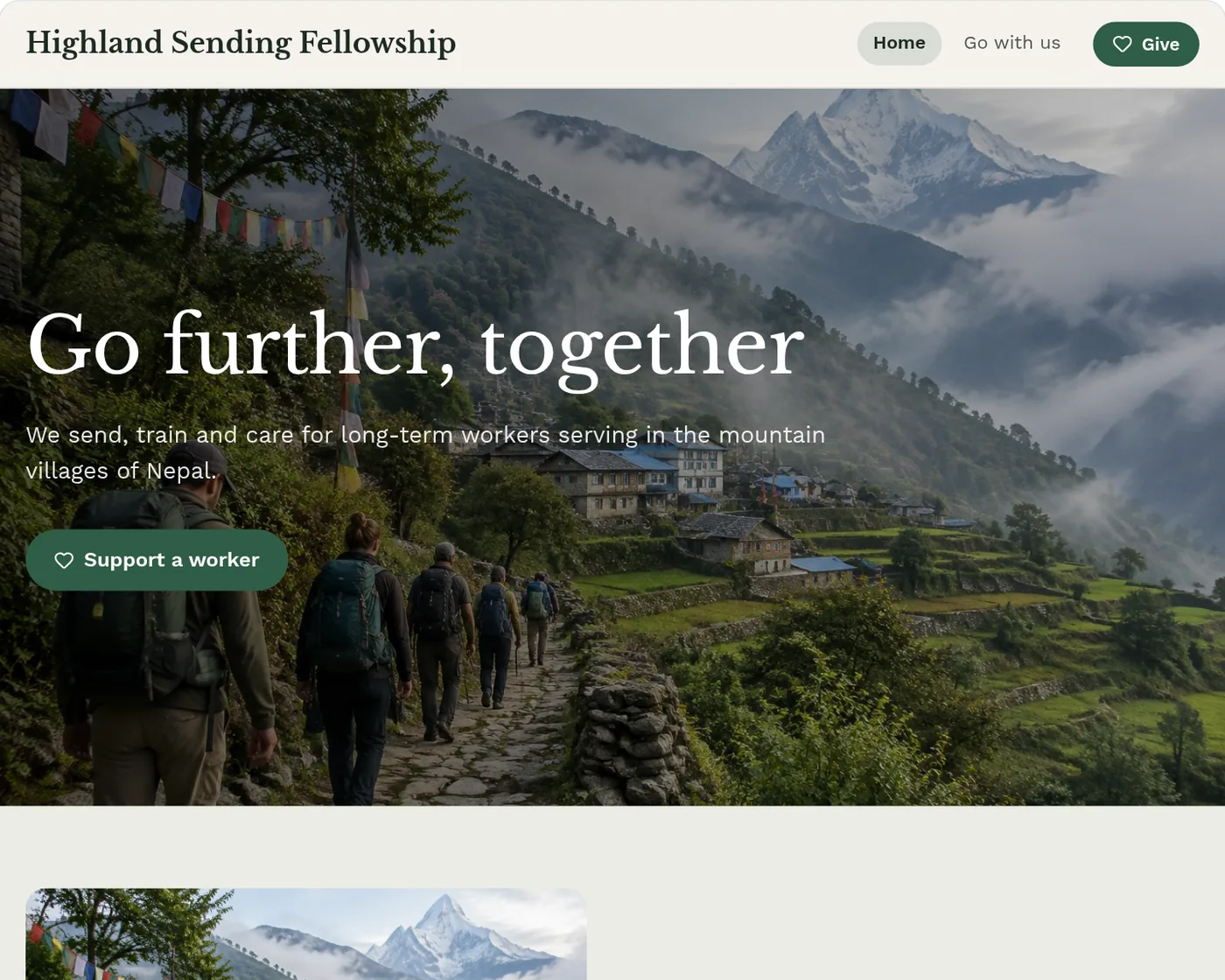
Four looks, made to be yours
Sample websites made with the builder for sample ministries. Pick a look, then change any color, photo or word.
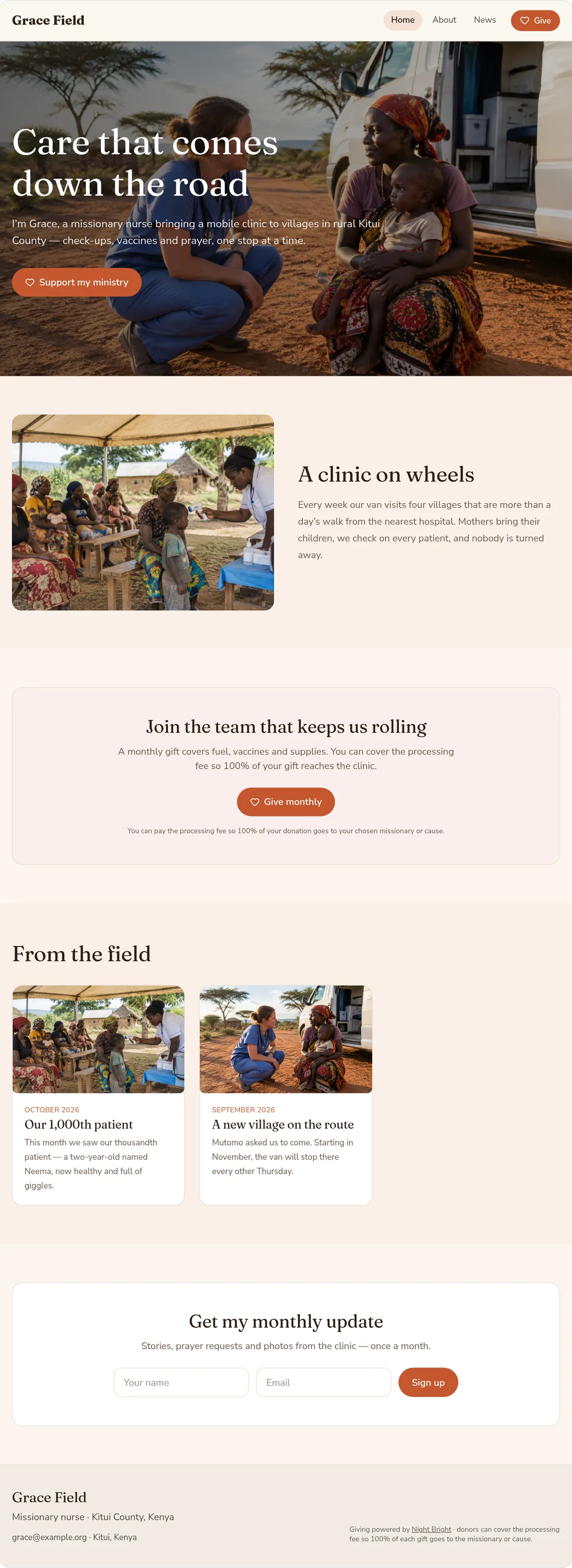
A whole homepage, top to bottom
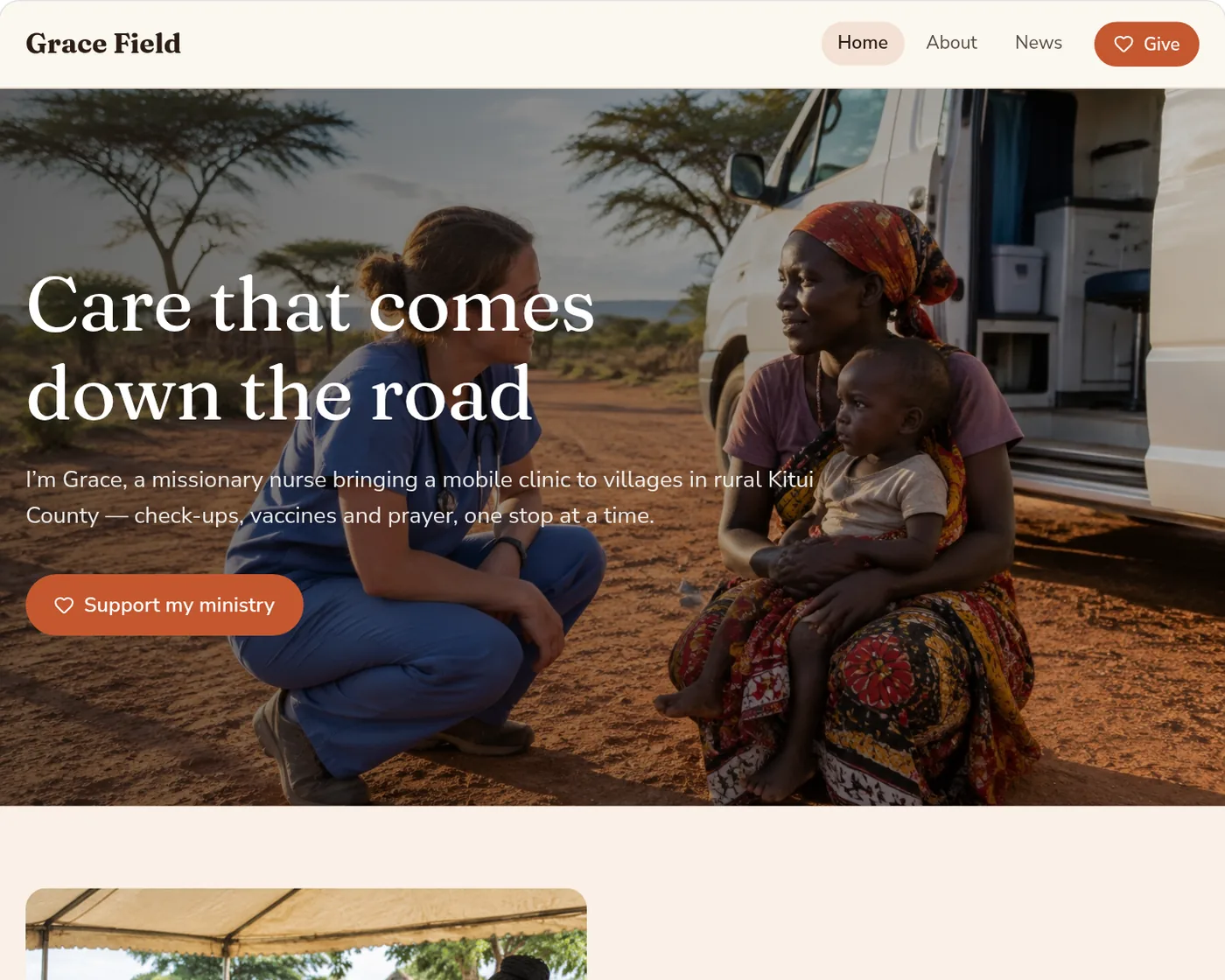
A welcome banner, your story, a give box, news from the field and a newsletter signup — written from a few chat answers and two photos.
Preview this sample full sizeOpens the sample website just like a visitor would see it.
What’s included
Everything a ministry website needs
Giving built in
The same Night Bright giving box donors already trust — one-time or monthly, Apple Pay and Google Pay, and donors can cover the fee so 100% reaches the mission.
News sections AI can write
Tell the builder what happened and it drafts the post. Add photos, then edit every word.
Causes with goal bars
Causes you publish on Night Bright show on your website with live progress toward each goal.
Your missionaries, grouped
Organizations choose which live missionaries appear and group them by base or region, like our Find page. Each missionary gets their own page on your site.
Bring your old site along
Paste the links to your current pages and the builder uses their wording and photos to draft your new ones.
Newsletter signup
Visitors join your email list from any page, with the same bot protection as nightbright.org.
Your address
Start on a nightbright.org address, or use your own web address for a little more.
Looks great on phones
Every look is made for phones first, and you can preview each page in phone view.
Motion that brings it to life
Sections glide and fade in as visitors scroll. Choose Gentle or Lively — drifting photos, sparkles and playful hovers — or turn motion off.
Dynamic sections
Numbers that count up, rotating stories, a journey timeline, fold-out questions, a live countdown to your next trip and a moving photo strip.
Ideas at every step
The builder suggests creative next steps as you go. Tap an idea and it builds it, asking you for the real details first.
No photos? No problem
The builder can create fitting sample photos so your site looks finished on day one. Swap in your real ones any time.
Simple pricing
Build and edit for free. When you publish, choose a monthly plan by the number of pages, plus a one-time setup gift you choose.
| Up to 5 pages | $27/month |
|---|---|
| 6–15 pages | $49/month |
| 16–30 pages | $76/month |
| 31+ pages | $109/month |
| Your own web address | +$5/month |
| nightbright.org address | Included |
One-time setup gift
Give what you can to get started — we suggest $100, $150, $250, $500, or choose another amount.
Buying a new domain?
We can register it for you at the registrar’s price plus 50%, and connect it to your website.
Giving stays the same
Gifts on your website follow the same Night Bright rules as your page: donors can cover the processing fee so 100% of each gift goes to your chosen missionary or cause.
Common questions
Do I need to know anything about websites?
No. You answer questions in a chat and the builder does the rest. Afterwards you edit by clicking what you want to change — no code and no templates to wrestle with.
Is it free to try?
Yes. Building and editing are free. You only choose a plan when you’re ready to publish.
How does giving work on my website?
Your website uses the same Night Bright giving box as your Night Bright page, so gifts go exactly where they go today. A missionary’s website can go public once their Night Bright page is live.
Can I use my own web address?
Yes. A nightbright.org address is included. Your own address costs $5 more per month, and our team connects it for you. If you buy a new domain through us, it’s the registrar’s price plus 50%.
We’re an organization — can each missionary have a page?
Yes. Pick which live missionaries to show, group them by base or region, and each one gets their own page on your website, filled from their Night Bright page. They keep it current with their own login.
Can I bring over my current website?
Yes. Paste the link to each page you want to keep and the builder drafts the new page from its wording and photos.
Still have questions?
Ask the Night Bright Helper about the website builder, pricing and giving — or send your question to our team.
Your ministry deserves a website as good as its work
Organizations open the Website tab in their portal; missionaries find it in their account. Building is free.