For organizations

Payouts your way: missionary wallet or organization wallet

Connect your own Stripe account and set your commission. For each missionary, choose whether gifts go to the missionary (minus your commission) or all to your organization.

  • Your own Stripe account
  • You set the commission %
  • Choose per missionary
Organization wallet with Connect with Stripe and a commission percentage setting
Organization wallet — connect Stripe and set your own commission.

Connect Stripe once

Link your nonprofit’s Stripe account from the Wallet tab. Bank details are entered on Stripe — Night Bright never sees them. Tips go to Night Bright and processing fees stay with Stripe.

  • Gifts are routed to your account only after Stripe confirms it can receive payouts
  • Payouts land in your bank on Stripe’s normal schedule
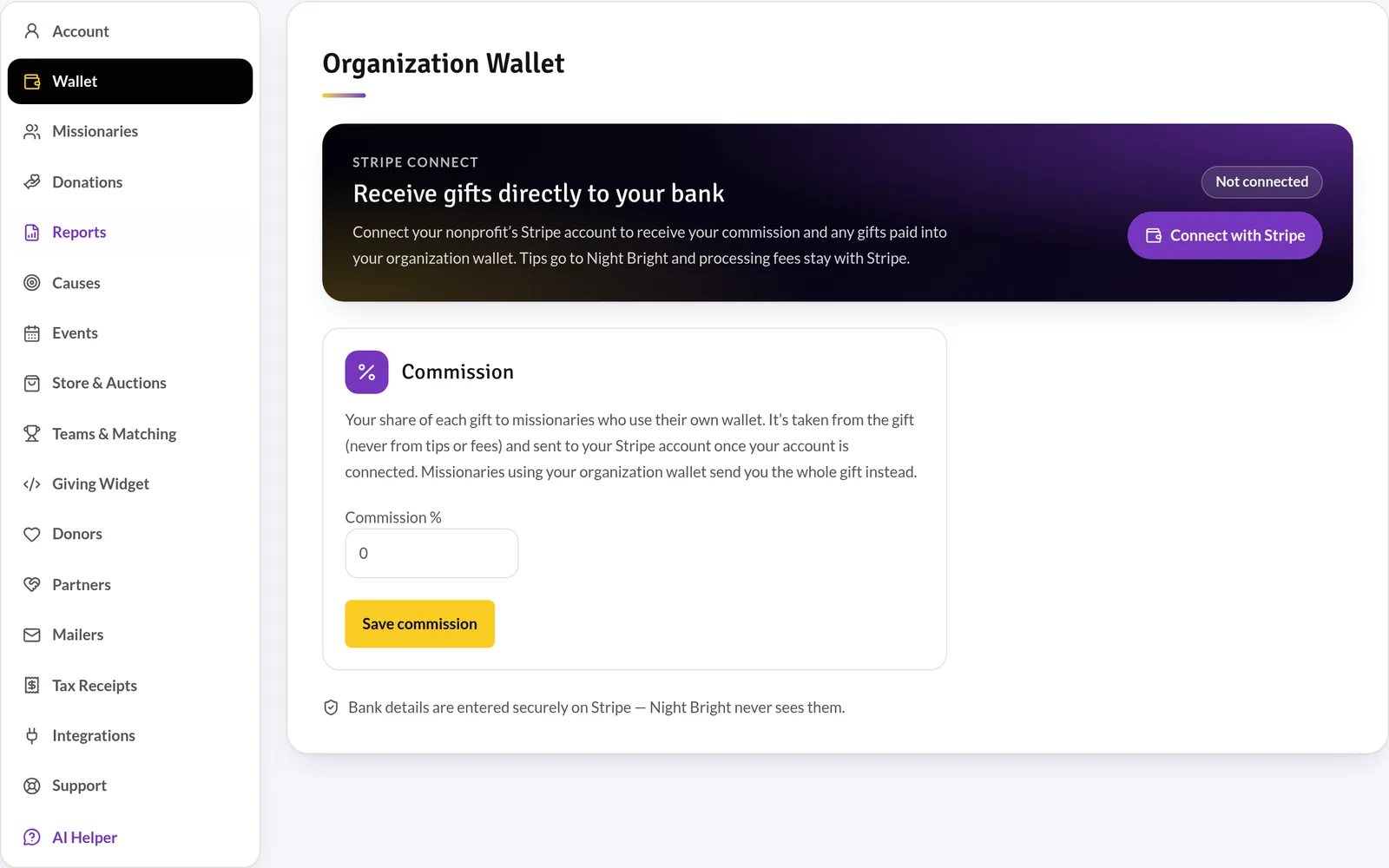
Organization wallet with Connect with Stripe and a commission percentage setting
Organization wallet — connect Stripe and set your own commission.

Pick a wallet for every missionary

Missionary wallet: the gift goes to the missionary’s own Stripe account and your commission is sent to you. Organization wallet: the whole gift comes to you and you support the missionary directly. Set it on screen or in your spreadsheet upload.
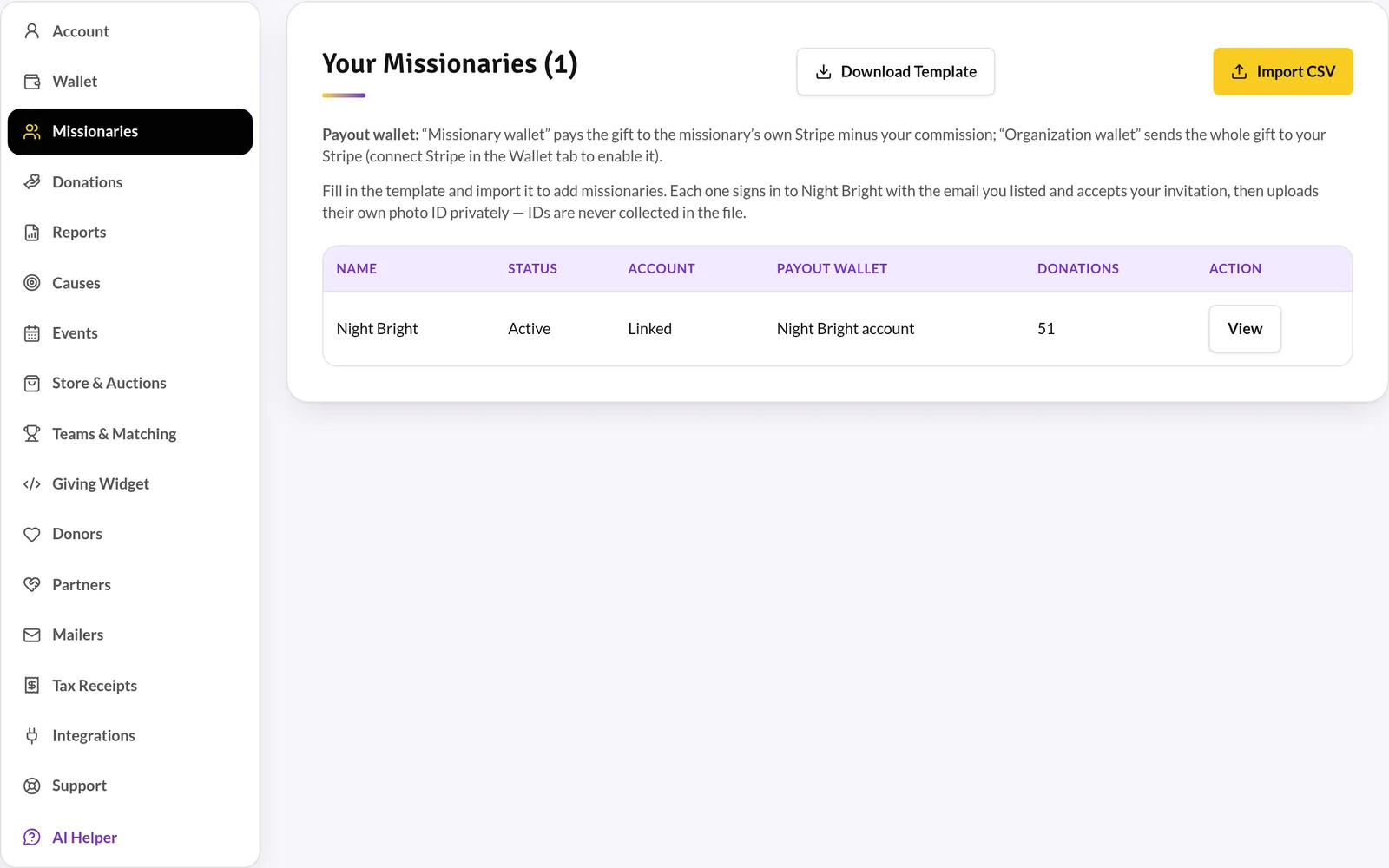
Organization missionaries list with status, account, payout wallet and donation count, plus CSV template and import buttons
Your missionaries — status, payout wallet and gifts at a glance, with spreadsheet import.

Specs at a glance

Commission
Set by your organization (0% or more)
Wallet options
Missionary wallet or organization wallet
Processing (donor-covered)
Cards 2.2% + 30¢ · AMEX 3.5% + 30¢ · Apple/Google Pay 2.9% + 30¢ · bank 0.8% (max $5)
Night Bright platform fee
$0

Give your missionaries one trusted place to be funded

Apply today. Once approved, your portal is ready for your missionaries, donors and team.